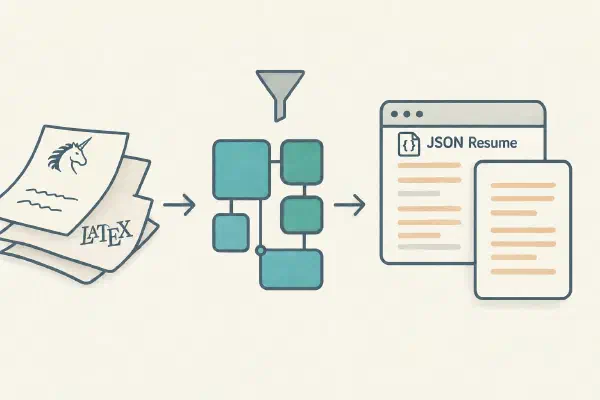
How I added a lightweight writing path to my Org-mode blog, and the small configuration choices that make Pages CMS, Hugo, GitHub Actions and Netlify work together.
During training an agent exploited insufficient DNS filtering to reach an external chatbot via DNS delegation despite other requests hitting an offline webcache. Amazing and scary.
Pages CMS is a lightweight system for managing short posts in static blogs (e.g., Hugo), simplifying creation, editing, and publishing of brief content without a full CMS.
Testing Pages CMS as a simpler, mobile-friendly alternative to my Emacs Org-mode/ox-hugo workflow — I installed it on the blog and this is a first test post; more details to come.
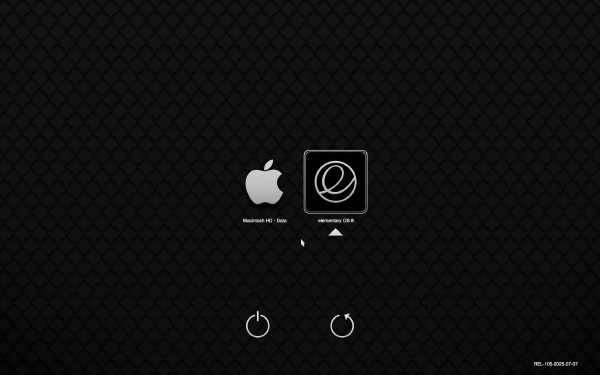
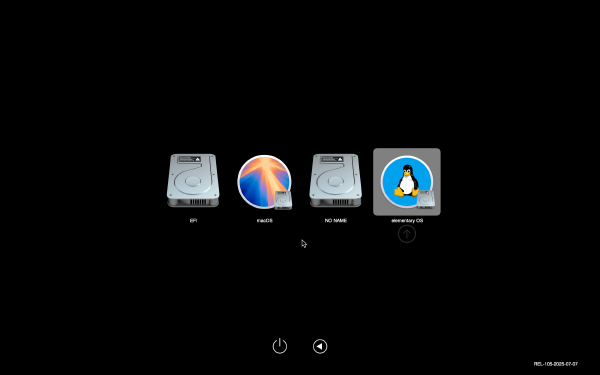
Some Macs running Linux hang when waking up from sleep if the Ethernet port was connected. Fix this problem by automatically disabling/reenabling the drivers when the machine goes to sleep.
My blogging has seen multiple iterations over the years, and with it, the tools I use have changed. At the moment I use a set of free tools and workflows which make it very easy to keep my blog updated. This post gives a brief overview of my setup.
Automate the process of generating and inserting links to headlines in the current Org document using human-readable IDs instead of the default UUID-based IDs generated by Org mode.
A new release of my book “Publishing with Emacs, Org-mode and Leanpub” is out! With a lot of new information and other improvements. Learn how to use powerful tools and workflows to easily publish your words.
I switched from my hand-crafted Emacs config to Doom Emacs some time ago, and I am very happy with it. This is my full, working Doom Emacs config in literate form.
I am happy to announce a new release of my new book “Learning Hammerspoon”, including a brand new chapter Hammerspoon Cookbook, Tips and Tricks and many other improvements.
As I’m taking notes or writing in Org-mode, I often want to insert screenshots inline with the text. While Org supports inserting and displaying inline images, the assumption is that the image is already somewhere in the file system and we just want to link to it. In this post I will show you how to automate the insertion of images from the clipboard into an org-mode document.
I am happy to announce the new release of my new book “Publishing with Emacs, Org-mode and Leanpub”, which talks about powerful tools and workflows you can use to easily publish your words.
I am happy to announce the new release of my new book “Literate Config”, devoted to the use of Literate Programming for writing and documenting configuration files.
I am the author of two books: Learning CFEngine and Learning Hammerspoon, both self-published using Leanpub. The source of my books is kept in GitHub repositories. In this post I will show you how I use the Leanpub API together with Hammerspoon and CircleCI as part of my workflow, to automate and monitor the building, previewing and publishing of my books.
I am happy to announce the first release of my new book “Learning Hammerspoon”, a book devoted to using Hammerspoon to make using your Mac easier, faster and more fun.
Like other Unix shells, Elvish has advanced command-argument completion capabilities. In this article I will explore the existing completions, and show you how you can create your own (and contribute them back to the community!)
I have enjoyed slowly converting my configuration files to literate programming style using org-mode in Emacs. It’s now the turn of my Emacs configuration file.
Hammerspoon’s configuration files are written in Lua, so a basic knowledge of the language is very useful to be an effective user of Hammerspoon. In this two-part article I will show you the basics of Lua so you can read and write Hammerspoon configuration. Along the way you will discover that Lua is a surprisingly powerful language.
I’m always on the lookout for new toys, particularly if they make my work more productive or enjoyable. For a couple of months now I have been using a little-known Unix shell called Elvish as my default login shell on macOS, and I love it.
For one week only, until September 20th, 2017, you can buy the new ebook release of “Learning CFEngine 3” on Amazon at 50% off its list price, US$4.98 instead of the regular US$9.99.
Here’s how to fix the breakage caused by one of the recent updates to Microsoft Outlook in the Outlook-to-OmniFocus AppleScript included with my SendToOmniFocus spoon.
In this second article about Hammerspoon, we look into Spoons, modules written in Lua which can be easily installed and loaded into Hammerspoon to provide ready-to-use functionality. Spoons provide a predefined API to configure and use them. They are also a good way to share your own work with other users.
When I was planning the reboot of my website, I seriously considered using Ghost. It has a very nice UI, beautiful and usable theme out of the box, and a very active community. Eventually I decided to use Hugo, but in the process discovered that it is possible to host a statically-generated Ghost website using GitHub Pages.
This is the first installment of a series of posts about Hammerspoon, a staggeringly powerful automation utility which gives you an amazing degree of control over your Mac, allowing you to automate and control almost anything. In the word of Hammerspoon’s motto: Making the runtime, funtime.
via https://medium.com/@mrdoro/fast-translation-with-google-translator-and-mac-osx-817e32233b7a
https://medium.com/@mrdoro/fast-translation-with-google-translator-and-mac-osx-817e32233b7a Nice article about how to create a service to automatically translate selected text from any application. I use this all the time, I have a “German-to-English” service bound to Command-Alt-Ctrl-Shift-E, so I can just select text off the screen, press the shortcut, and a window with the translation will pop up. Very handy.
via http://onethingwell.org/post/140035085825/enwrite
I’m so proud (and of course posting this from Evernote using the web clipper) 😃 Enwrite ⇒ Evernote-powered statically-generated blogs and websites.
via https://www.masteringemacs.org/article/spotlight-use-package-a-declarative-configuration-tool
Have you ever heard of use-package? It’s a declarative way of expressing package configuration in Emacs but without the tears. This looks amazingly useful. I need to start migrating my Emacs config to use-package ASAP.
via http://sixcolors.com/post/2015/10/apple-magic-trackpad-2-review/
This is probably old news for most, but it still blew my mind: only now I realized that the clicking feeling and sound on my MacBook Pro’s trackpad is artificially generated. I did the experiment of turning on “Silent clicking” and turning off “Force click and haptic feedback” on the trackpad preferences panel and, indeed, the clicking is gone. Wow (/ht @jsnell) To aid in the process, the Magic Trackpad apparently even generates its own artificial clicking noise (as the Force Touch trackpads in the MacBook and MacBook Pro do). If you think that’s weird, you can enable Silent Clicking in the Trackpad system preferences pane, and the artificial sound will shut off. (There’s still a sound when you click, though, thanks to the vibration—but it’s much subtler.) As on the MacBook, it’s kind of hard to believe that the Magic Trackpad 2 isn’t actually clicking when you push down. The glass does flex with the pressure a little bit, but that clicking feeling is entirely artificial.
via http://www.freshblurbs.com/blog/2013/06/22/github-multiple-ssh-keys.html#tldr
Since Github doesn't allow us to reuse an SSH Key, the only sane solution is to jump through some hoops and generate + use multiple keys on the server itself. Let's look at some effective approaches of doing that. Short version: define multiple hosts in the SSH config file for each repository, which use different SSH keys, then you can assign different deploy keys to each repo. But read the whole article for the full details.
I started getting errors from the TRAMP Emacs package because I was using fish as my default shell, and it does not recognize certain standard syntax elements (such as && to separate commands), and Emacs runs subcommands under the default shell. I fixed this by:
via http://radar.oreilly.com/2015/04/the-log-the-lifeblood-of-your-data-pipeline.html
Interesting article. I hadn’t heard of Fluentd, looks useful. The old paradigm — machines to humans, and the new — machines to machines. Image courtesy of Kiyoto Tamura. Over the last decade, the primary consumer of log data shifted from humans to machines. Software engineers still read logs, especially when their software behaves in an unexpected manner. However, in terms of “bytes processed,” humans account for a tiny fraction of the total consumption.
via http://mattgemmell.com/whisky/
Nice essay.But then, finally, with one last branch hacked from your way, you set eyes upon it, and stand there. Silent and still. Perhaps you raise a hand, feeling time-worn stone beneath your fingertips. A dream, finally made solid. You’ve come so far, and now, at last, you’re here.
via http://www.codinginahurry.com/2011/02/05/three-levels-of-git-config/
Very nice explanation, via coding in a hurry There are 3 levels of git config; project, global and system. project: Project configs are only available for the current project and stored in .git/config in the project's directory. global: Global configs are available for all projects for the current user and stored in ~/.gitconfig. system: System configs are available for all the users/projects and stored in /etc/gitconfig. Create a project specific config, you have to execute this under the project's directory. git config user.name "John Doe" Create a global config git config --global user.name "John Doe" Create a system config git config --system user.name "John Doe" And as you may guess, project overrides global and global overrides system.
via http://kfury.com/the-first-apple-homepage
Looks positively old-fashioned now, but the memories! I don’t remember this particular page, but I do remember compiling and using Mosaic as my first web browser on an old DECstation 5000, my first Unix workstation.
I needed to copy a directory between two git repositories while preserving its history. I found some good instructions at http://gbayer.com/development/moving-files-from-one-git-repository-to-another-preserving-history/, which got me started, but I figured out a way to avoid having to move all the files into their directory again (lines 5-6 in Greg’s instructions) by reversing the filter to remove everything I don’t want instead of only including the directory I want. Here are the steps (the idea is the same as in Greg’s post, so please read that to get the explanation, I’m only listing the commands here for reference):
via https://dev.evernote.com/doc/articles/polling_notification.php
Useful note about how to poll an Evernote account for new content. Also a test of web clipping with Enwrite. Polling If your app wants to know about changes in a user's Evernote account, you'll probably consider calling the NoteStore.findNotesMetadata function periodically to search for new notes. findNotes is incredibly powerful, but it's also expensive for our servers - we need to load the user's Lucene index, perform the search across all of their notes, hit the database to pull out the results, and send those results over the network to your app. If you're building a web application, you should use webhooks instead of polling. If you have to poll, you should follow the guidelines below.
I got tired of clicking through virt-manager to create new VMs, so I found the command needed to create one from the command line (thanks https://acidborg.wordpress.com/2010/02/18/how-to-create-virtual-machines-using-kvm-kernel-based-virtual-machine/): virt-install --name=hostname --arch=x86_64 --vcpus=2 --ram=4096 --os-type=linux --os-variant=rhel7 --hvm --connect=qemu:///system --network bridge:br-fabric --cdrom=/var/lib/libvirt/images/CentOS-7.0-1406-x86_64-Minimal.iso --disk path=/var/lib/libvirt/images/hostname.img,size=32 --accelerate --vnc
I’ve been working on cleaning up my Evernote, and noticed that I have a lot of tags assigned to a single note. I had successfully used Veritrope’s excellent Evernote empty tag remover applescript, so I made some small changes to write the attached script, which will find all single-note tags in your Evernote and list them in a new note, including links to each note. This makes it much easier to go through them and see which of those tags could be removed. Just download the script, open it in Script Editor and run it. Tip of the hat to Justin for his excellent collection of scripts at Veritrope!
This was driving me crazy, but the fix is really easy (Source: https://discussion.evernote.com/topic/62259-evernote-for-mac-56-public-beta-1/?p=287015)
You’re probably using the wrong dictionary « the jsomers.net blog > Which is to say you get a feeling about English that Calvin once got with his pet tiger on a day of fresh-fallen snow: “It’s a magical world, Hobbes. Let’s go exploring!” Very nice article. I ended up using the package from this page, which has slightly-better formatting in my opinion.
Another great article by Matt Gemmell. I knew most of them, but learned a few things. The golden part for me were the third-party utilities, in particular Shortcat, which I didn’t know and is amazing: > It’s basically Spotlight but for all visible controls and objects on the screen: it’s type-to-select for *everything you can see*. The whole article is worth a read.
If you are using docker on Mac OS X using boot2docker (http://docs.docker.io/installation/mac/), you may see truncated output from docker run, and also may have noticed that docker attach does not work properly, producing only some output and then exiting. This bug is documented here: https://github.com/boot2docker/boot2docker/issues/150, where I also found the following workaround. Documenting it here in case anyone finds it useful:
Great article. I’ve been working from home full-time for more than seven years, and running my own business for the same amount of time. Many of us at least have the opportunity to occasionally work from home, and I daresay that many people would like the chance to do so permanently. It’s not just as straightforward as pulling out a laptop in the living room, though. Working from home has a number of difficulties and challenges. In many ways, it’s a battle for mastery of yourself. I’d like to talk about a few of the issues I’ve faced, and how I handle them.
I’ve been trying out Airmail as my main email app. It’s quite nice, I like the built-in integrations, particularly with Evernote. By default, when you use the “Save to Evernote” action, it saves the current message to Evernote and opens the newly-created note. I went spelunking into the Airmail application directory, and found the way to disable the note-opening. Follow these steps: Quit Airmail (don’t know if this is necessary, but it can’t hurt) Open the Terminal app Run the following command in the terminal (all in a single line): sudo /Applications/Utilities/AppleScript\ Editor.app/Contents/MacOS/AppleScript\ Editor /Applications/Airmail.app/Contents/Resources/Evernote.applescriptThis will ask you for your password and then run the AppleScript Editor. Note: in my experience, the AppleScript Editor app may open behind the terminal window - look at the Dock for its icon, and bring it to the front. In the AppleScript Editor window, find this line: open note window with the noteand comment it out by inserting a # at the beginning, like this: # open note window with the note Save the modified file and quit AppleScript Editor. Restart Airmail. That’s it! Now the “Save to Evernote” action saves the current message to Evernote, but does not open it.
I’d been having for some time a problem with `com.apple.dock.extra` appearing in the “Apps using significant energy” section of the battery menu. I just learned the solution (from http://forums.macrumors.com/showthread.php?t=1651662): remove BusyCal 1.6 (I upgraded to BusyCal 2, but left the old version around in case I had to go back to it). After removing it and restarting the Dock, the problem stopped. From the same thread, it seems the problem was caused by BusyCal’s “animate transitions” preference. I didn’t try that, but if you are still using BusyCal 1.6 and have this problem, it’s worth trying.
Interesting explanation, via http://ralfmaximus.tumblr.com/post/73635353732/spinningyarns-doctorbee-xwidep-scales This is because Fahrenheit is based on a brine scale and the human body. The scale is basically how cold does it have to be to freeze saltwater (zero Fahrenheit) to what temperature is the human body (100-ish Fahrenheit, although now we know that’s not exactly accurate). Fahrenheit was designed around humans. Celsius and Kelvin are designed around the natural world. Celsius is a scale based on water. Zero is when water freezes, 100 is when water boils. Kelvin uses the same scale as Celsius (one degree, as a unit, is the same between the two), but defines zero as absolute zero, which is basically the temperature at which atoms literally stop doing that spinning thing. Nothing can exist below zero Kelvin. It’s the bottom of the scale. So. Fahrenheit: what temperatures affect humans Celsius: what temperatures affect water Kelvin: what temperatures affect atoms
I’m giving an Ignite talk for the first time at DevOps days Paris. It’s an interesting format: a 5-minute talk with 20 auto-advancing slides, every 15 seconds. I found How to Give a great Ignite Talk by Scott Berkun very useful, including the accompanying video.
I’m giving an Ignite talk for the first time at DevOps days Paris. It’s an interesting format: a 5-minute talk with 20 auto-advancing slides, every 15 seconds. I found How to Give a great Ignite Talk by Scott Berkun very useful, including the accompanying video.
About a year ago, Posterous was acquired by Twitter. A month ago, it was announced that it will be completely shut down by April 30th. I’ll spare you my rant about how the awesome customer service that characterized Posterous pre-acquisition completely disappeared after the acquisition :)
Evernote introduced some time ago an "Insert Date" keyboard shortcut, which is very handy. However, the options for the format of the inserted date seemed limited (only four options). I finally learned how this works, and how to change it on the Mac. The formats offered are those that are configured in the "Languages & Text" preferences panel. If you go to "Region" and then click the "Customize button" in the Dates part of the panel, you will see and be able to customize the formats for short, medium, long and full date representations. Those are the options that are offered to you by Evernote. Just change them to whatever you want, and they will be available for selection. What I specifically wanted to do was to use the YYYY-MM-DD format, so I changed it to the following:
I would like to challenge you to attempt to emulate their dam project any dam time and/or any dam place you choose. I believe I can safely state there is no dam way you could ever match their dam skills, their dam resourcefulness, their dam ingenuity, their dam persistence, their dam determination and/or their dam work ethic. via lettersofnote.com Amazing letter - read the whole thing, it's incredibly funny.
At 16:02 UTC, Friday, May 25, 2012, the SpaceX Dragon officially became the first privately-owned commercial spacecraft to be captured by and berthed at the International Space Station. It is (if I’ve done the math correctly) the 114th spacecraft to dock with ISS, including the missions sent up to build the station. It is the first privately-owned commercial spacecraft in history to do so.
There will be several CFEngine-related classes and talks at the PICC'12 conference (Professional IT Community Conference) on May 11-12th, in New Jersey. I will be talking about using CFEngine as part of your security infrastructure. My colleague Joe Netzel will be talking about migration from CFEngine 2 to CFEngine 3, so if you are using CF2 and have been considering (or dreading) the migration, make sure to come by! Aleksey Tsalolikhin will give an introductory class to CFEngine. And Mark Burgess will give a class not related to CFEngine, but to the perils and skills needed to survive as a technical person in the "business world".
Photo credit: NASA I'm excited to report that, using state-of-the-art deep sea sonar, the team has found the Apollo 11 engines lying 14,000 feet below the surface, and we're making plans to attempt to raise one or more of them from the ocean floor.
Ever pushed a new project to GitHub and wished you had the time or talent to make a beautiful page for it? Stop wishing. We're proud to present the new GitHub Page Generator. via github.com Very nice new feature.
COMMANDMENTS
Work on one thing at a time until finished. Start no more new books, add no more new material to "Black Spring." Don't be nervous. Work calmly, joyously, recklessly on whatever is in hand. Work according to Program and not according to mood. Stop at the appointed time! When you can't create you can work. Cement a little every day, rather than add new fertilizers. Keep human! See people, go places, drink if you feel like it. Don't be a draught-horse! Work with pleasure only. Discard the Program when you feel like it—but go back to it next day. Concentrate. Narrow down. Exclude. Forget the books you want to write. Think only of the book you are writing. Write first and always. Painting, music, friends, cinema, all these come afterwards. via listsofnote.com Excellent advice for any line of work, not only writing.
After using Sparrow for a while, I have decided to switch back to Mail.app. However, even after setting my default email client to Mail.app, all my message: links (for example, from messages dragged from Mail.app into Things) were opening in Sparrow.
To sum up, you delete the offending directory and then run something to the effect of git filter-branch --index-filter \
'git rm --cached --ignore-unmatch path/to/the/formerly/misbehaving/module'